You can now send InMail stages in addition to email stages in your Sequences. To get started, select “InMail” from the stage dropdown:

You can even mix InMail and Email stages in the same sequence. We’ll send both the InMail and Email stages at the times you specify. Don’t worry about getting a response from a candidate in InMail and having to stop email follow-ups — we’ll ask you to confirm that the people in the Sequence haven’t replied over InMail before sending email follow-ups.

Kick off an InMail sequence just like any other:
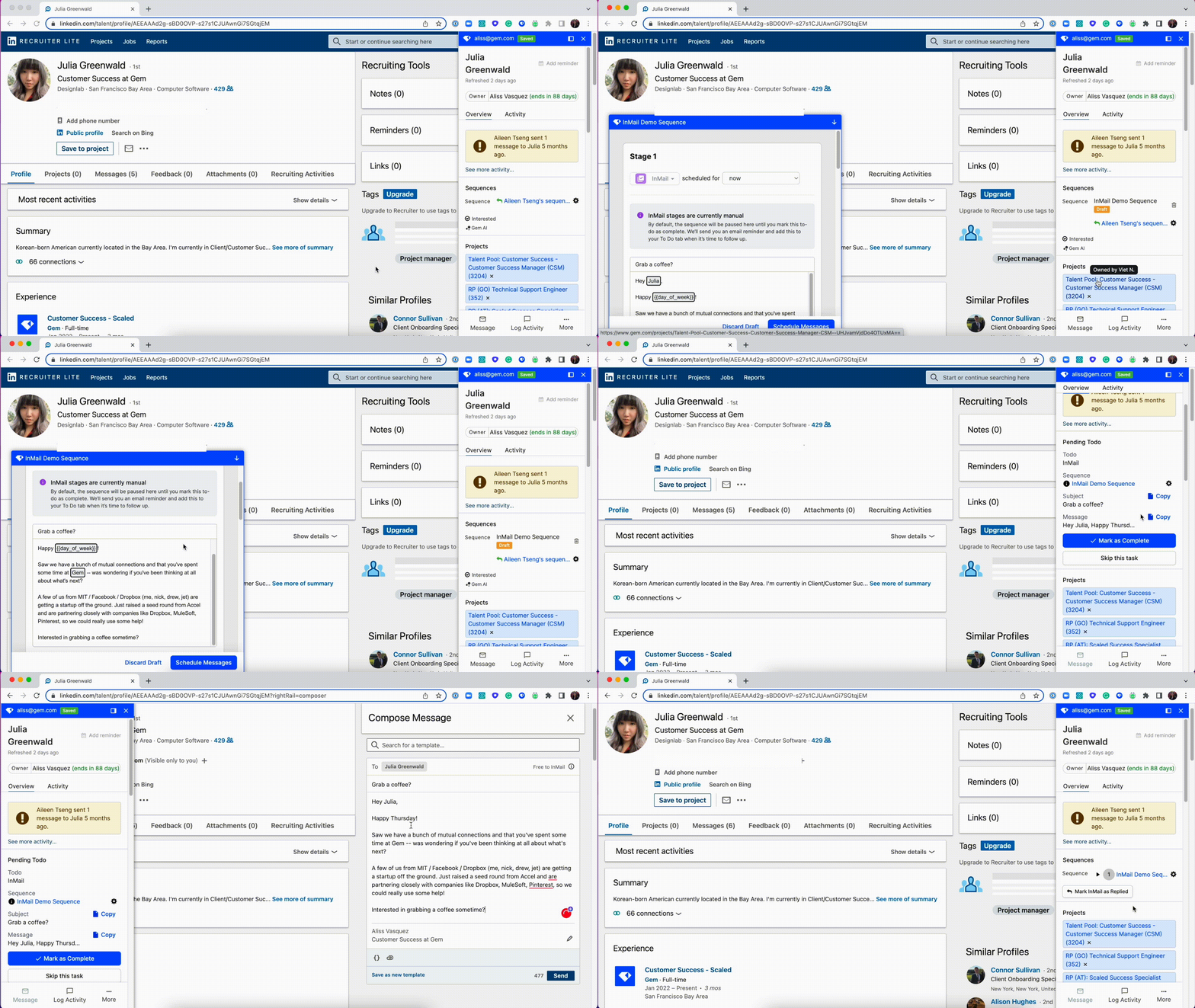
We’ll let you know over email and in Gem when it’s time for you to send the next InMail stage.
Sending InMail + Email Concurrently
If you schedule an InMail stage and then an Email stage right after to go out sometime in the past (e.g. 0 days later at 12:01 am), Gem will skip the review process for the Email stage, so it goes out automatically.
We’ll work to simplify this workflow soon, but this is a workaround for people that want to send InMail + Email at the same time.
The following video covers how to send InMail Sequences:
Have any issues or questions on this topic? Please feel free to contact your dedicated Gem Customer Success Manager directly or our Support team at support@gem.com.