Overview
If your company uses Workday, Gem now shows Workday's Do Not Hire status as a red Do Not Hire badge wherever you see a candidate, including in the Gem Chrome extension. You can also hide these candidates in Application Review and exclude them in AI Sourcing.
The badge helps recruiters and sourcers spot flagged candidates before reaching out or advancing them. It is informational only: Gem does not block outreach or stage changes for flagged candidates.
Who this applies to
- Workday customers only. The status comes from the candidate's Do Not Hire flag in Workday and syncs into Gem.
- Candidates already in Gem. The badge appears only for people who exist in Gem and are linked to a Workday record.
- Chrome extension users need the latest extension version to see the badge in the sidebar.
Where you'll see the Do Not Hire badge
In the Gem Chrome extension
When you open a candidate's profile on LinkedIn or another supported site, the extension sidebar shows the Do Not Hire badge next to the candidate's name, beside the last-updated time, time zone and Add reminder.

On candidate profiles in Gem
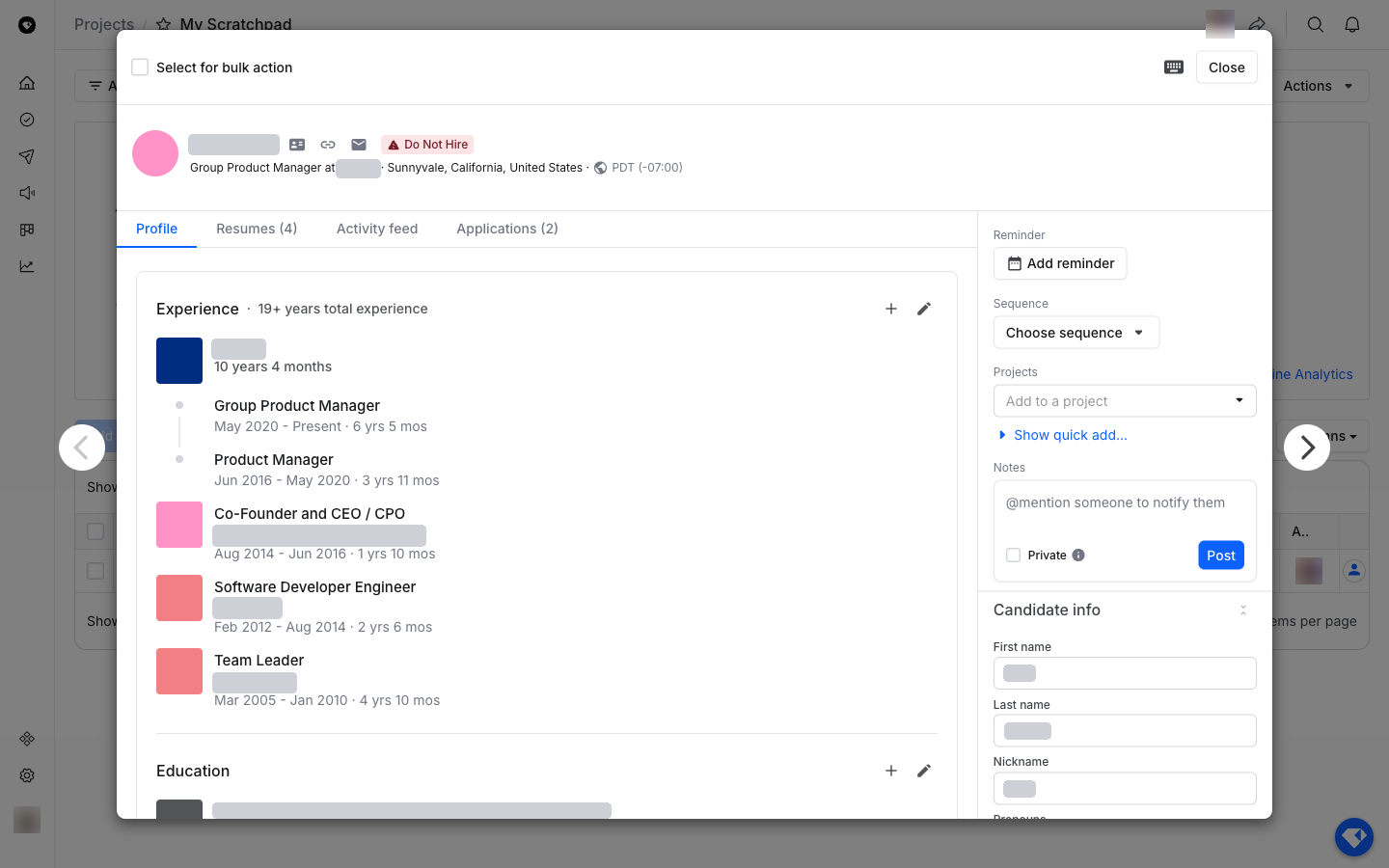
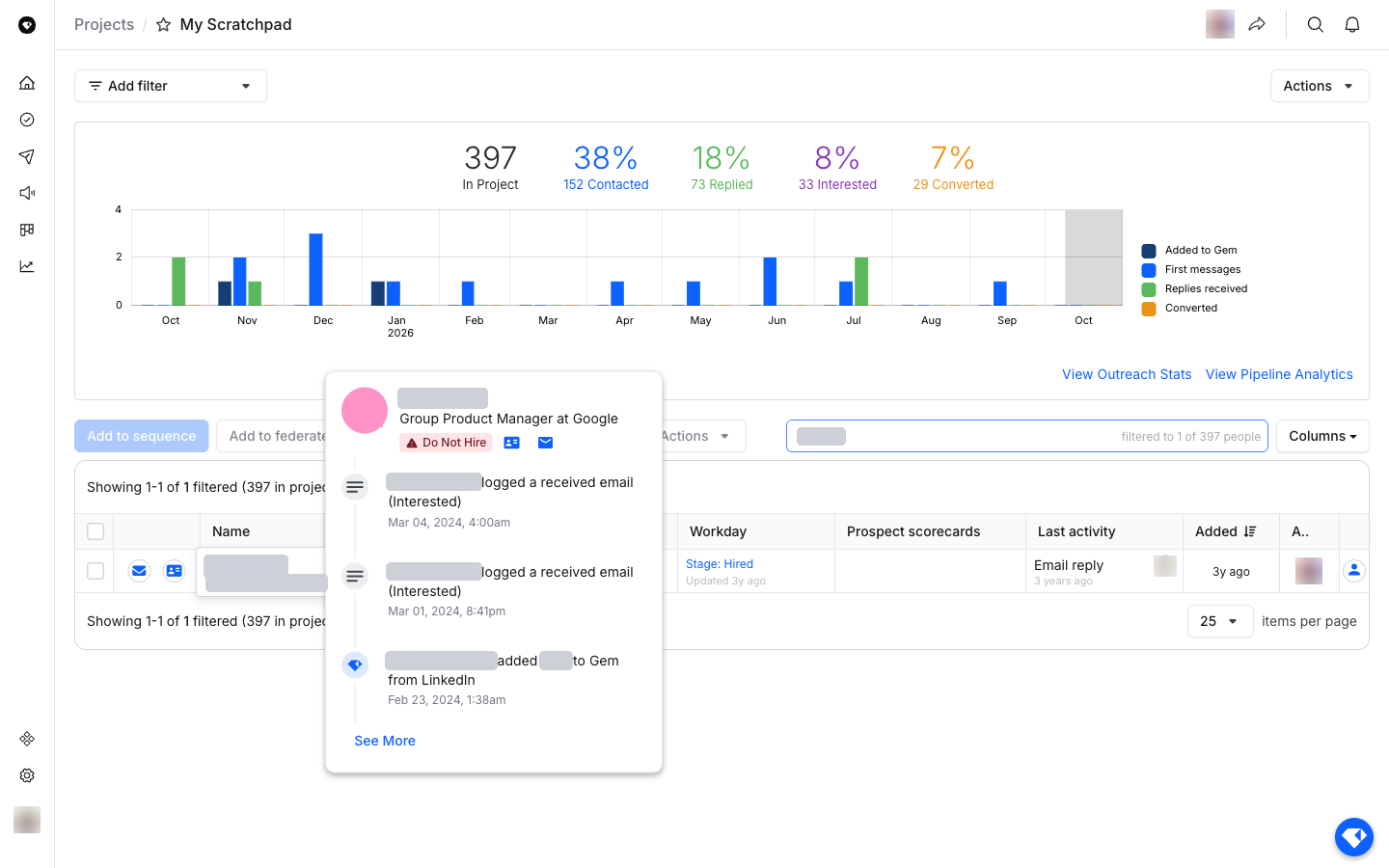
The badge appears in the profile header, next to the candidate's name and contact icons. It also shows on the hover card when you point at a candidate's name in a project list.
In Application Review
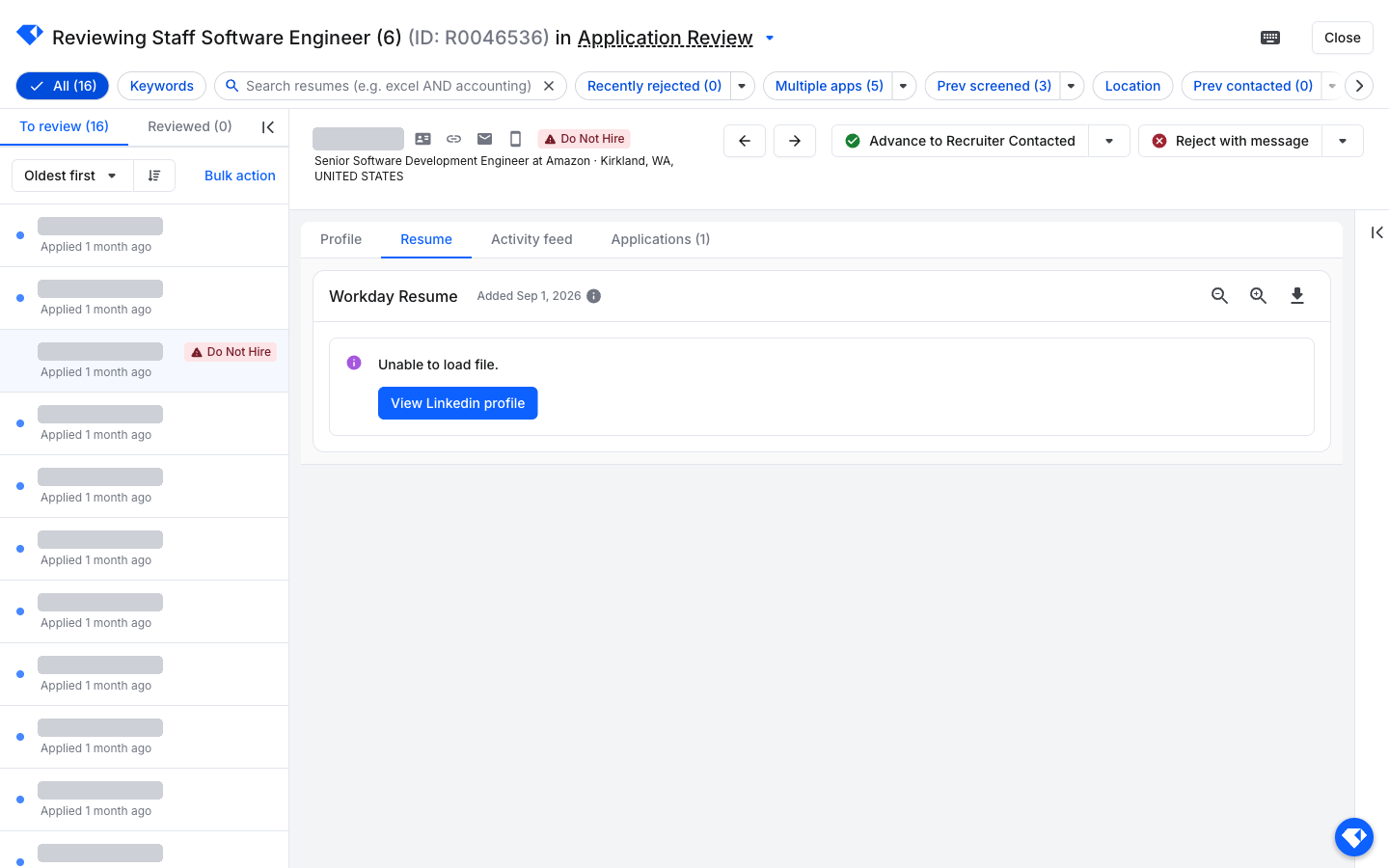
The badge appears next to the candidate's name in the To review list and in the profile header of the candidate you're reviewing.
Filter out Do Not Hire candidates
Application Review
- Open a job in Application Review.
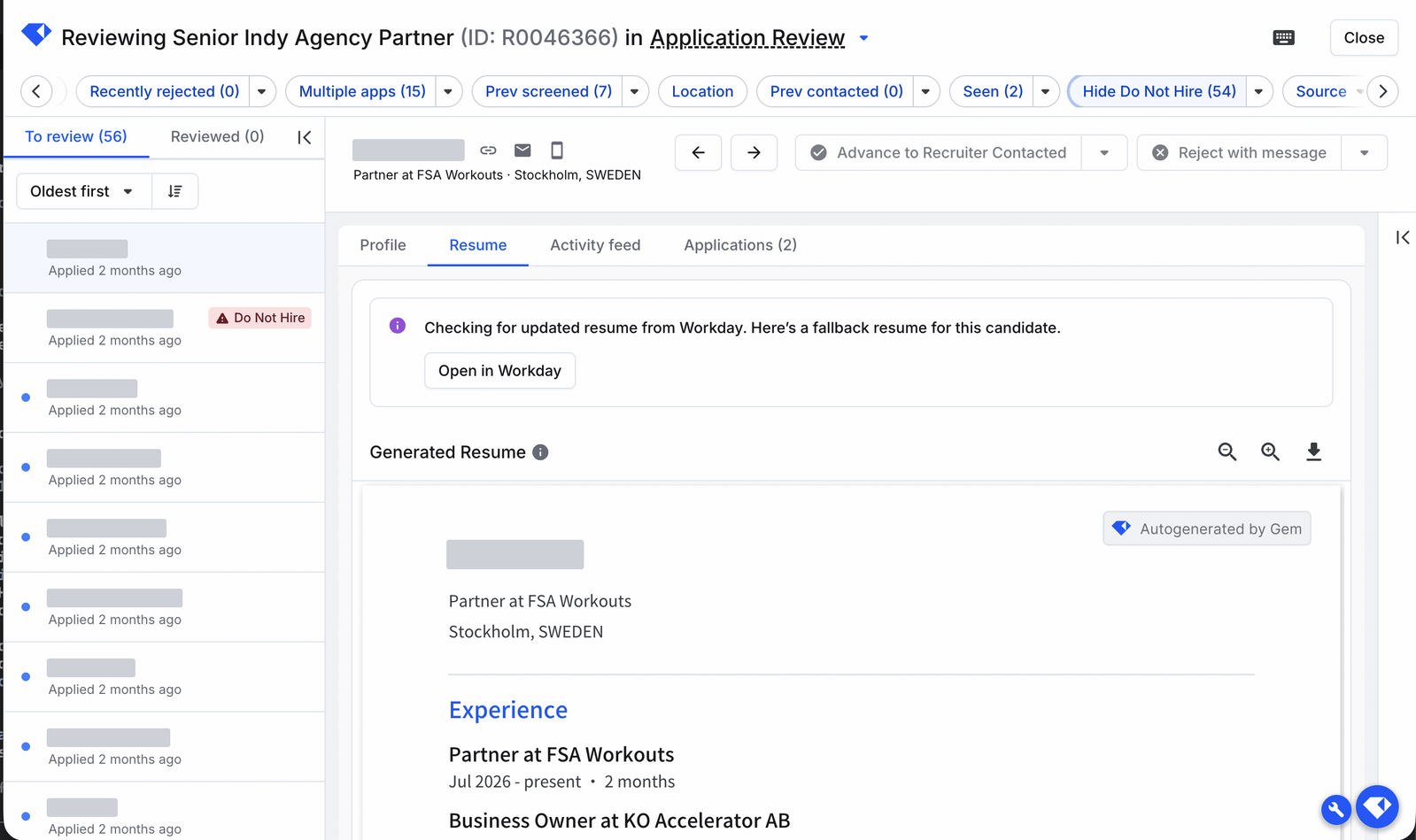
- In the filter bar, click Hide Do Not Hire. The count shows how many flagged candidates are hidden.
- Click it again to show them.
AI Sourcing
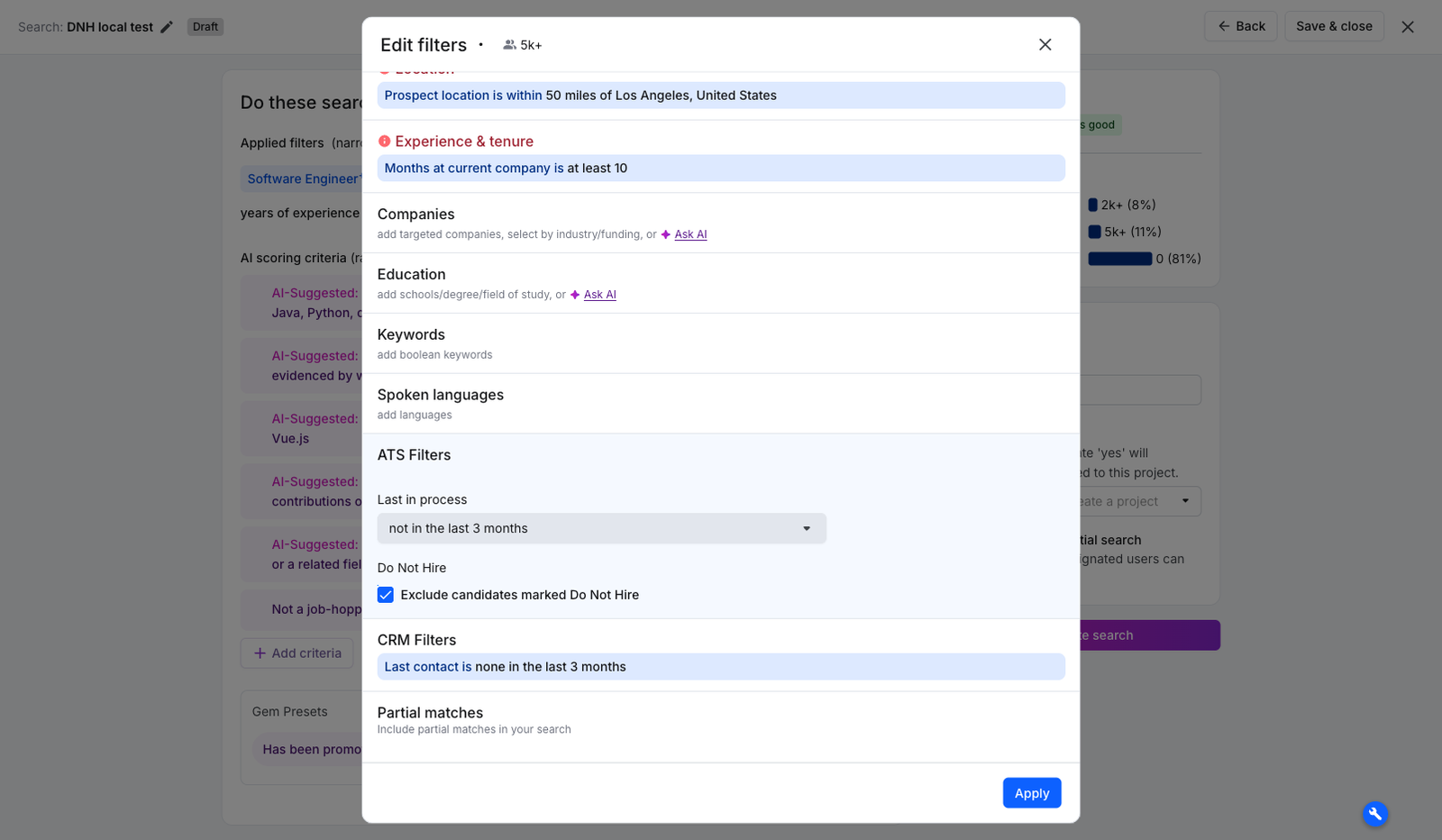
AI Sourcing excludes Do Not Hire candidates by default. To change this:
- In your search, open Edit filters.
- Under ATS Filters, find Do Not Hire.
- Clear Exclude candidates marked Do Not Hire to include them, then click Apply.
Where filtering isn't available
You can't filter by Do Not Hire in Prospect Search or in project lists. In those places, look for the badge instead.
FAQ
Why don't I see the badge in the Chrome extension? Update to the latest extension version. The candidate also has to be in Gem and flagged Do Not Hire in Workday.
Can I mark someone Do Not Hire in Gem? No. The status is read from Workday. Update it in Workday and it syncs to Gem.
Does the badge stop me from emailing or advancing a candidate? No. It's a visual warning only. Check with your hiring team before you proceed.