Overview
Gem phone numbers offers support for phone calls from candidates. This allows you to receive phone calls on your personal device or through another service, like Google Voice, and have this touchpoint automatically logged in Gem.
Please note you must first have a Gem-provisioned phone number. Check out Text message (SMS) sequences for more details, or contact your Gem Customer Success Manager with any questions.
Initial Set-Up
By default, call forwarding is disabled. In order to enable it, you will need to go to your Settings page. Input your phone number and click “Send test phone call”, at which point you will receive an automated phone call. Then, save your settings. Call forwarding is now configured.
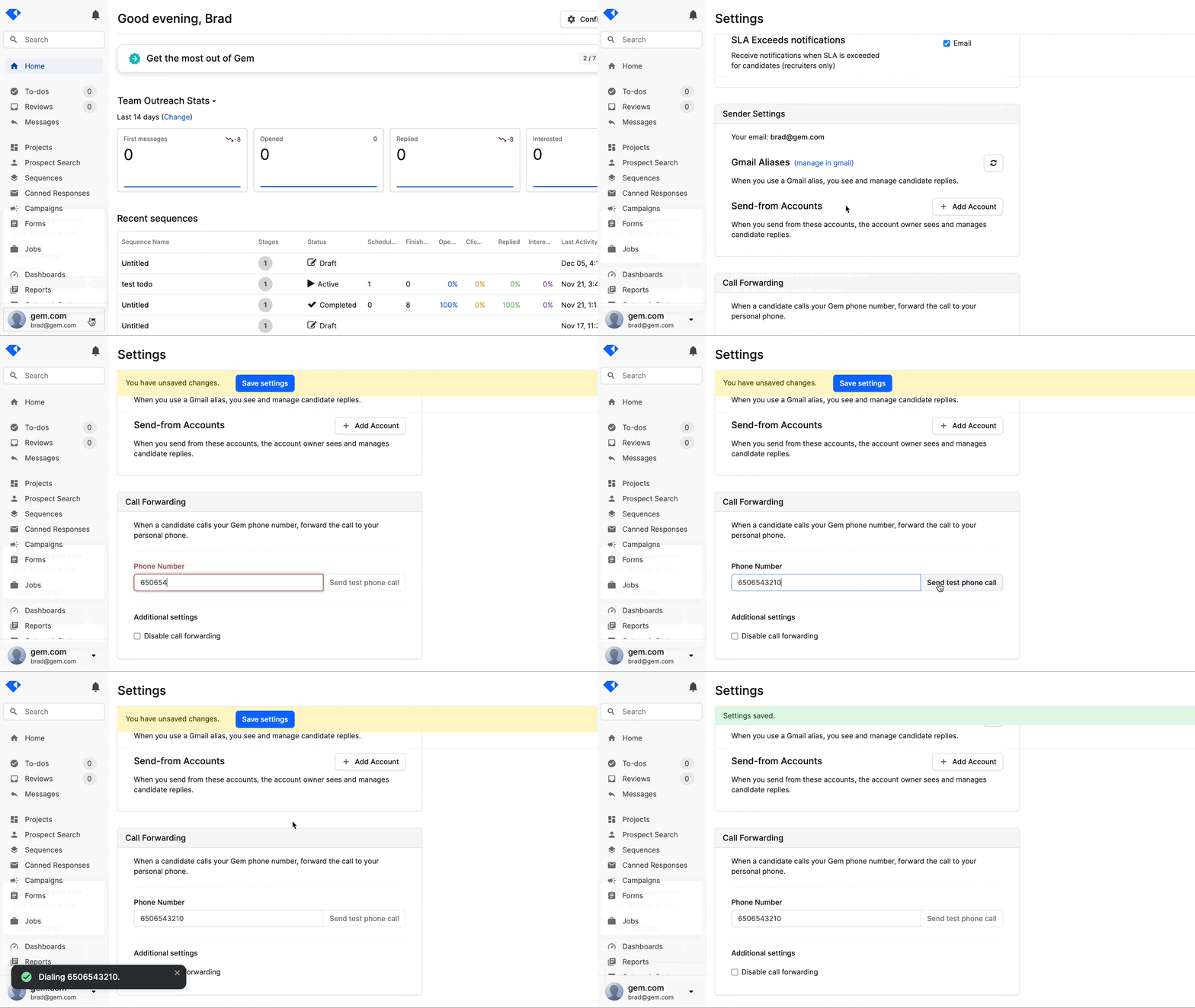
After configuring, a candidate must call your Gem phone number in order for Gem to forward the call to you.
Receiving Incoming Calls from Candidates
If a candidate calls your Gem phone number, we first check to see if you have call forwarding enabled. This means that a phone number has been entered and “Disable call forwarding” is not checked, as shown in the Settings page GIF above.
If call forwarding is disabled, the candidate will be played a message that reads:
Thanks for calling! This number is for texting only. Have a great day.No further action is taken.
If call forwarding is enabled, you will receive a phone call from your Gem phone number. When you accept the call, you will be played a message that reads:
This is an incoming call from <Candidate name>. Connecting now...You will then be connected to the candidate.
How Do I Track Phone Calls in Gem?
Forwarded phone calls are automatically logged in Gem. This takes place in three ways:
- You will receive an email with the subject line: “Your Gem phone number received a call.”
- A Gem notification is generated, under the notification bell.
- An incoming call reply touchpoint is logged in the candidate’s activity feed. (Please note: since we treat this is a reply touchpoint, sequences are automatically paused!)

What Happens if I Miss a Phone Call?
In the event of a missed call, you will still receive an email, Gem notification, and reply touchpoint in Gem. Activity and logging-wise, this is no different than if you had answered the call. We recommend manually following up with the candidate.
Have any issues or questions on this topic? Please feel free to contact your dedicated Gem Customer Success Manager directly or our Support team at support@gem.com.